MULTI-LOCATION PROCUREMENT SOFTWARE
Multi-location procurement software with local speed and central accountability.
Multi-location procurement software lets branches, clinics, campuses or sites raise local requirements while group policy, approval authority, supplier decisions and evidence remain visible centrally.
THE OPERATING PROBLEM
Keep context with the decision.
Each location develops its own spreadsheet, chat group and supplier habits. Central teams see invoices after the commitment and miss opportunities to consolidate demand or reuse existing assets and inventory.
WHO IT IS FOR
- Clinic, diagnostics and dental groups
- Multi-campus education and service businesses
- Real-estate, facilities and indirect-procurement teams across sites
CONNECTED WORKFLOW
From the request to evidence a reviewer can follow.
Initiate locally
Keep location, department and accountable owner on the requirement.
Govern centrally
Apply shared approval and procurement controls without centralising every keystroke.
Source together
Use comparable supplier evidence and consolidate legitimate demand.
Close at location
Record receipt, asset or obligation context where the outcome occurs.
REALISTIC EXAMPLE
One purchase, end to end.
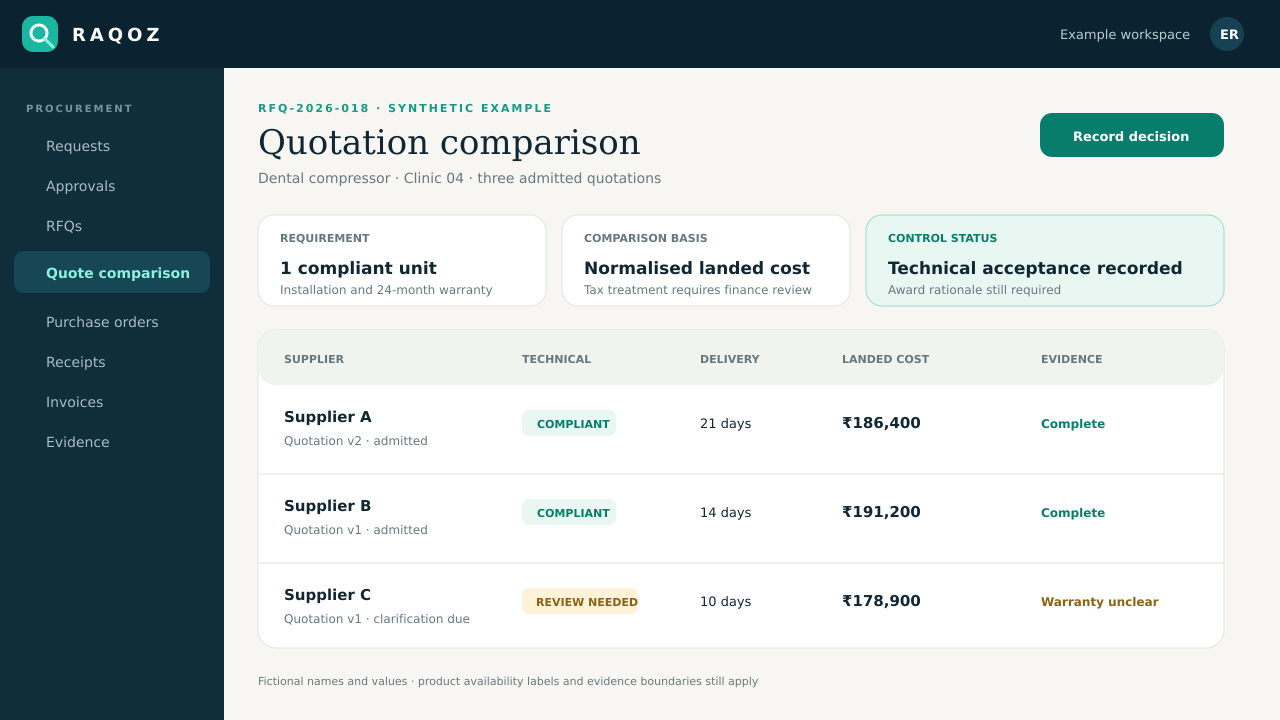
Ten clinics need the same consumable next month. Each location records demand and need-by date; central procurement can consolidate the requirement, compare suppliers once and still retain location-level receipt evidence.
What RAQOZ does not replace
RAQOZ does not replace branch accounting, clinical systems, construction BOQs, field-service software, warehouse systems or local management responsibility.
Start with one bounded scope
- Pilot one region or common category before adding every site.
- Define which purchases remain local and which require central sourcing.
- Use location-level owners for receipt, warranty and follow-up evidence.
Move from Excel, email and WhatsApp
- Choose one department, location or recurring purchase type; do not migrate every historic spreadsheet on day one.
- Import the supplier and item records that are still active, then assign an owner to duplicates and missing fields.
- Keep old email, WhatsApp and spreadsheet files as source evidence while new purchases begin in the controlled workflow.
- Define who requests, approves, sources, receives and reviews invoices before switching the first live purchase.
Security and evidence boundaries
- Organisation data and procurement records remain tenant-scoped; public-site analytics never receives supplier names, prices, documents or purchase records.
- Material workflow actions retain actor and timestamp evidence, while corrections create new evidence instead of silently rewriting history.
- RAQOZ records procurement decisions and payment states. It does not move money, replace the accounting ledger, certify compliance or issue audit, tax or legal conclusions.
USEFUL NEXT STEPS
Use the workflow before buying it.
BUYER QUESTIONS
Questions worth answering before rollout.
Can every location have separate approval owners?
Organisation structure, locations, departments and governed approval context are part of the released foundation; advanced configurable controls retain their displayed availability.
Can similar requests be consolidated?
Opportunity Radar includes demand-consolidation opportunities, but unverified intelligence remains disabled until its evidence dependencies are ready.
Does central procurement have to issue every PO?
The organisation can define operating responsibilities and authorised routes; local speed should not remove central visibility or authority.
Can assets move between locations?
Asset transfer and lifecycle capabilities are part of the value-assurance direction and must be read with their page-level availability labels.
ONE PRIMARY ACTION
Prove the workflow with one real purchase.
Start with one department or location. Preserve the old evidence, define the owners and learn before widening the rollout.
Pilot one location